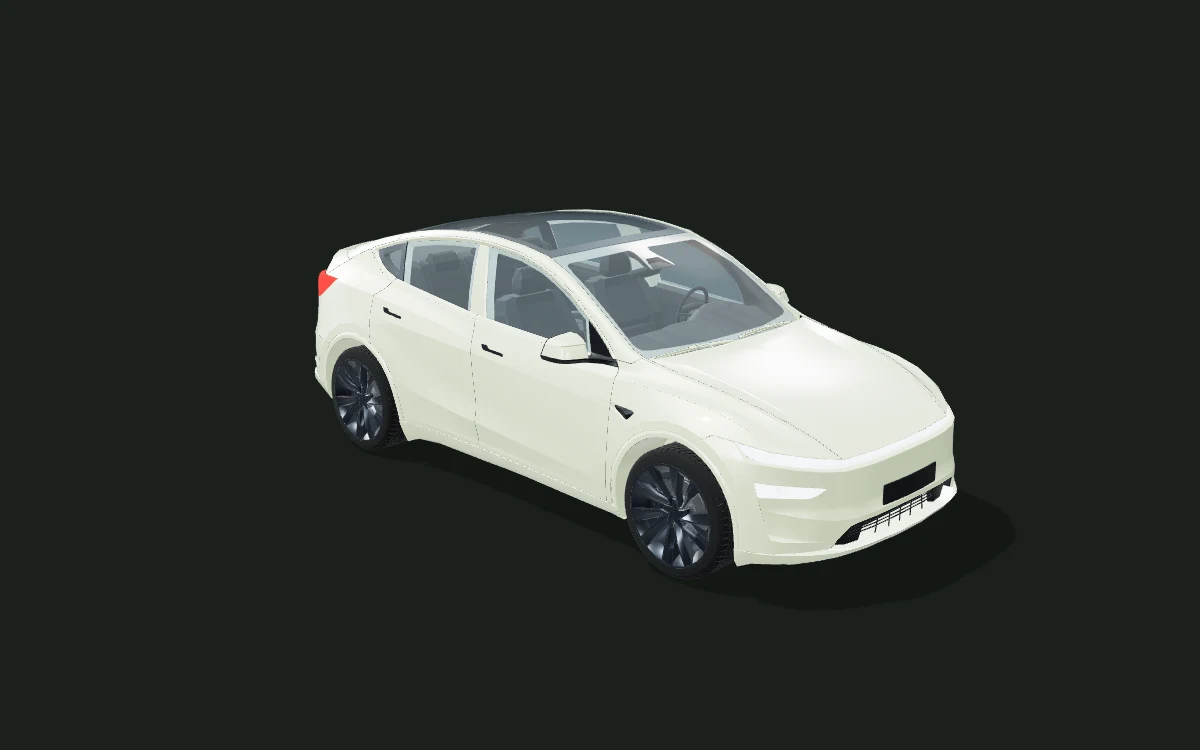
Matte car wrap colors
The matte preview softens reflections so broad color areas read more evenly. Rotate the vehicle to check how the color separates from dark trim and glass.
Choose a supported vehicle, try a color and switch between matte, satin and gloss in the same view.
Try a wrap color ↗This is an appearance study. Colors and panel placement are illustrative. Exported artwork is not a calibrated installation template or a verified Tesla Paint Shop file.
3D model: BloxBloger. CC BY-NC 4.0. Web geometry and paint materials adapted for this preview. Full asset credits ↗
The matte preview softens reflections so broad color areas read more evenly. Rotate the vehicle to check how the color separates from dark trim and glass.
Satin keeps softer highlights than gloss. Try the sage, copper or charcoal palette, then adjust the custom color picker to explore your own combination.
Gloss creates stronger highlights in this lighting. Compare the same color across all three finishes before downloading your concept.
| Reference | Useful for | What to confirm |
|---|---|---|
| 3D body study | Compare color, finish and artwork from different angles on a supported vehicle. | Check the actual generation and fitted panels. Screen colors and placement are illustrative. |
| Photo color changer | Explore an appearance on one photograph of a vehicle. | A still image does not provide a rotatable body study. Photo recoloring is not an available WrapPrism mode. |
| Physical vinyl sample | Check a real film’s color and surface in daylight beside your vehicle. | Confirm the manufacturer and product code with an installer. A digital HEX value is not a film match. |
| Production template | Prepare measured panels, printing, cutting and alignment for installation. | An installer must verify production files. WrapPrism concept exports do not replace this step. |
| Feature | Available scope |
|---|---|
| Free browser tools | Compare colors, finishes and uploaded artwork on 14 vehicle body studies. Basic editing, presets and concept downloads need no account. |
| Professional editing | Tesla Model Y / BMW M4 support text and image layers with regional 2D/3D placement. Other vehicles use the quick whole-body preview. |
| AI artwork and credits | Sign in to generate flat artwork with account credits. The live panel shows the cost and availability before submission. Apply a completed image as the whole-wrap base; regional layers are a separate Pro tool. |
| Saving and publication | Keep settings on this device, or sign in to save a private design. Publishing requires a separate submission and approval; generation alone does not publish your artwork. |
| What you can export | Download a 3D concept PNG and flat artwork. Pro also exports an editable project JSON for reopening supported layers; a screenshot PNG alone is not an editable project. |
| Before physical installation | These body studies and semantic regions are visual concepts, without measured panel dimensions. They do not provide vinyl cutting files, calibrated print templates or verified Tesla Paint Shop files. Confirm film samples, seams, coverage and production files with an installer. |
The editor includes sage green (#D7E6BD), warm ivory (#E9E4DA), pale blue (#C9D4E3), copper (#AB645B), gold (#E7C474) and charcoal (#343B3A), plus a custom color picker. These are digital palette values, with no film brand or product-code match claimed.
Screen color, scene lighting and simulated finish cannot confirm a physical film’s appearance. Request actual material samples and inspect them beside your vehicle in daylight. Metallic flakes, chrome and color-shift film are not simulated here.
Tesla Model Y uses the Juniper body and Model 3 uses Highland. Mustang is a Shelby GT500 study; Wrangler is a low-poly study with no confirmed year. Artwork placement and panel coverage are illustrative.
Your completed artwork will appear here.
generates a flat artwork, which this editor maps onto your vehicle. Your text prompt is sent to the AI generation service; your uploaded images are not sent.
1 credit is reserved per request, used after artwork is stored successfully, and returned if the request fails. Closing this page does not cancel a queued task; interrupted tasks recover a stored result or return the reserved credit.